
Plant Intelligence Center
Every view of a single plant, in one place
Find a plant, read its year, size, hardiness, soil, care, resilience and wildlife value as charts and cards, and compare candidates side by side.
Search and analyse plants
Every view of a single plant, in one place
Every view follows the project’s units: metres and °C, or feet, inches and °F.
Find a plant
Search by common or botanical name in your language, or in all languages, and narrow the list by light, soil, moisture, drainage, plant type, leaves, growth, height, flower colour, season and garden use. If a plant is not listed yet, type its botanical name and choose Analyze with AI to create its profile, which is then kept for reuse.
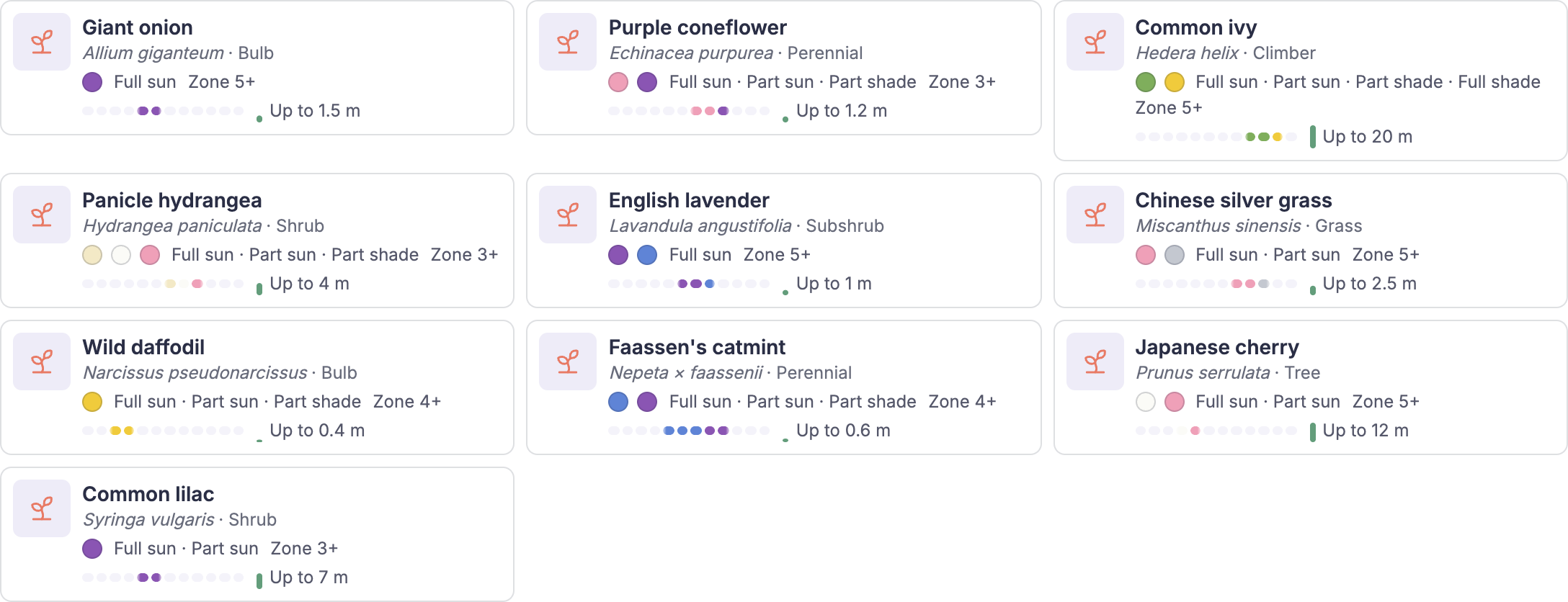
Results you can scan
Each result shows the plant’s flower colours, light, hardiness zone, a small flowering strip and its mature height.
One plant, from every angle
Open any plant to read it as tiles, charts and cards, from its year and size to its soil, care and wildlife value.

Plant page and overview tiles
Light, water need, hardiness, size, growth rate and maintenance as six tiles with simple scales. Select a tile to jump to its detail.
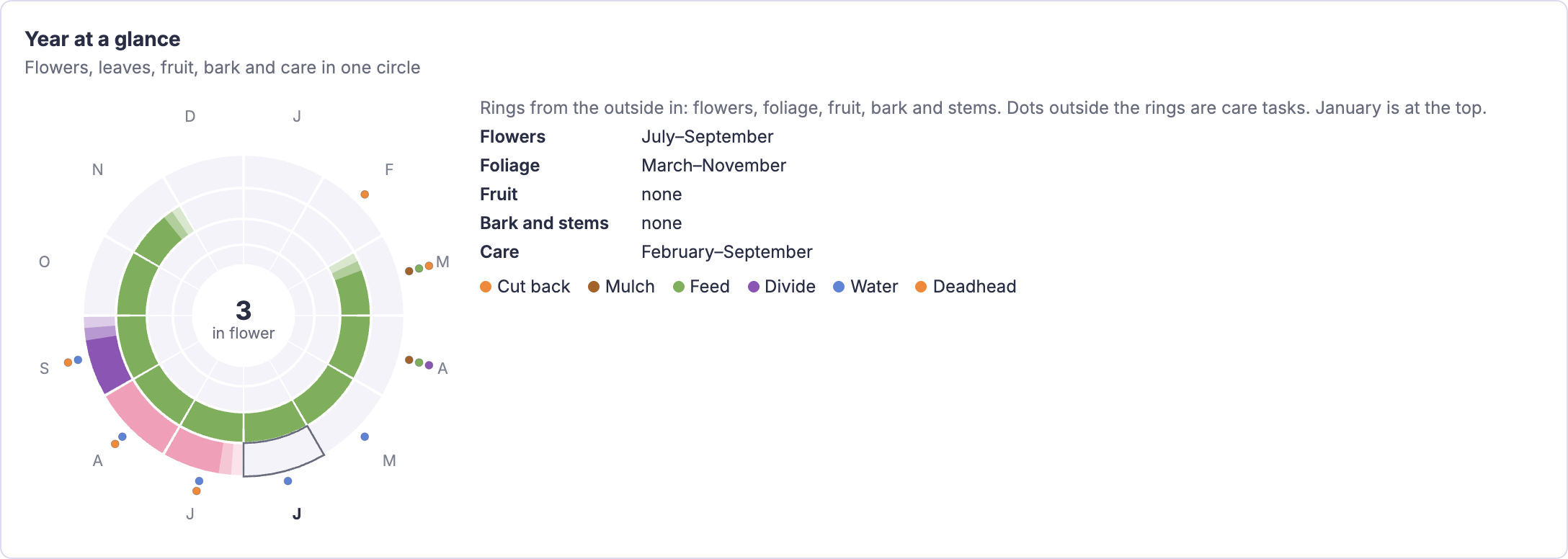
Year at a glance
A ring with one segment per month: flowers, foliage, fruit, bark and care tasks, with the current month marked.

Through the year
A month grid of flowers and foliage in their real colours, with seasonal highlights.
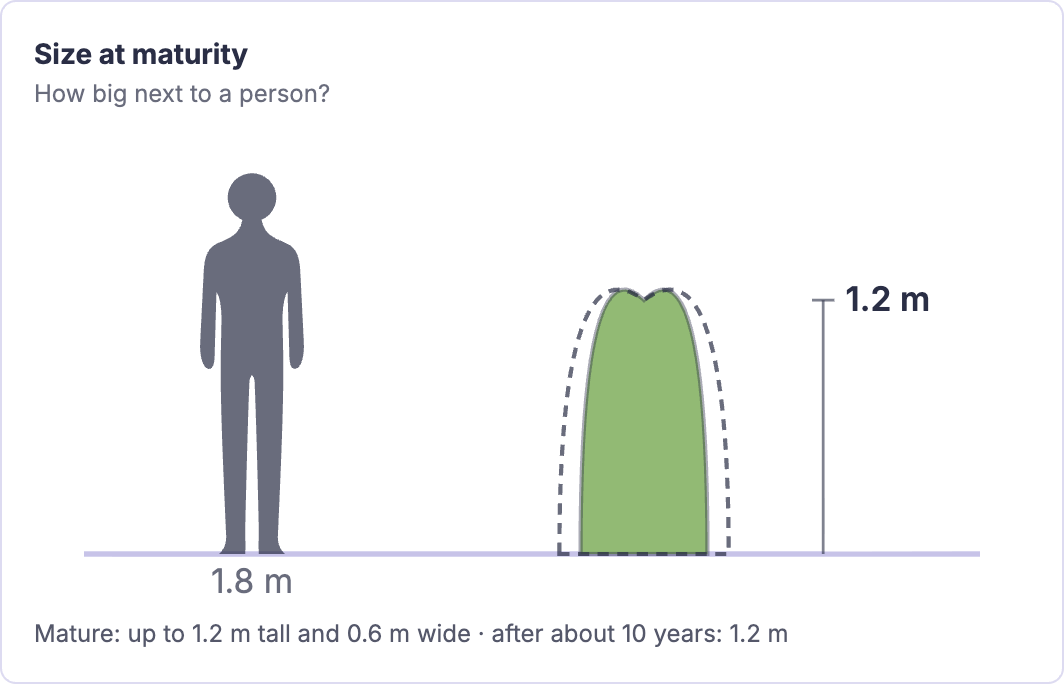
Size at maturity
Mature height and spread drawn to scale next to a person.
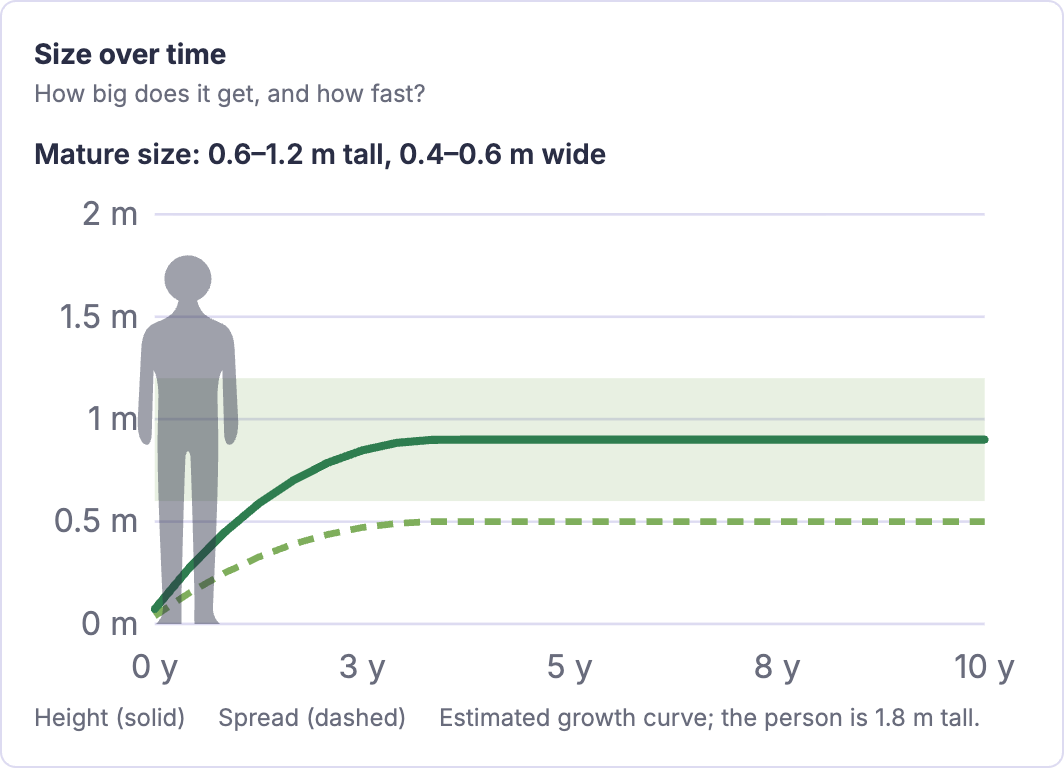
Size over time
A growth curve for height and spread over the years, with a person for scale.
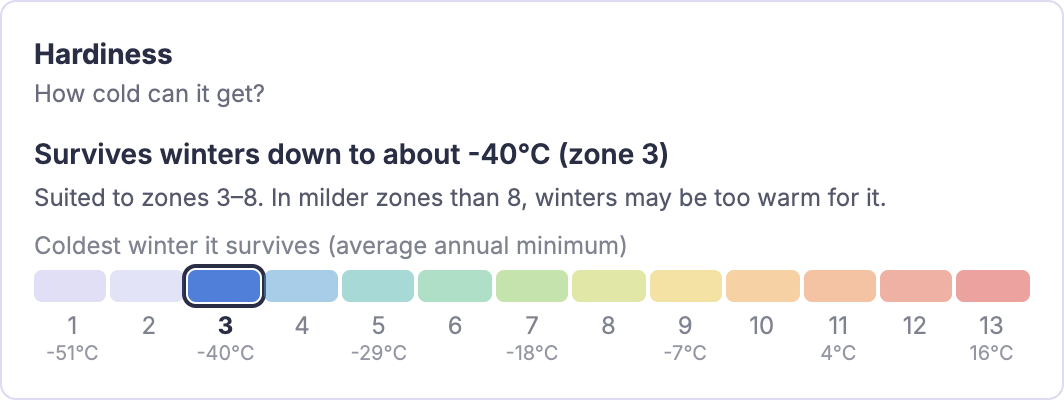
Hardiness
The coldest winter the plant survives, shown on the hardiness zone scale.
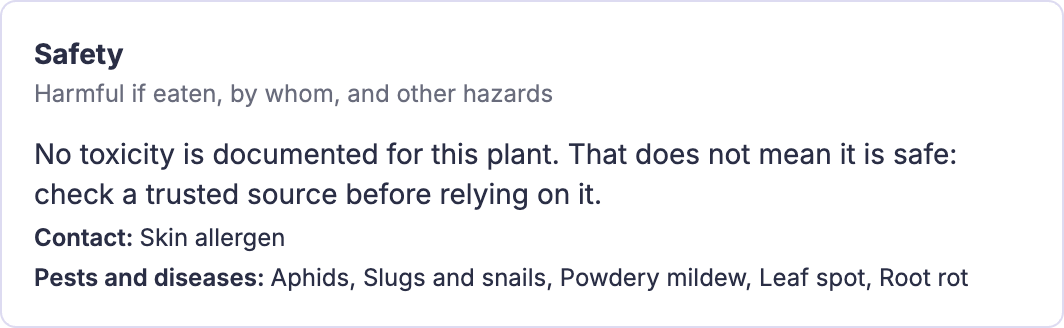
Safety
Documented toxicity for people and animals, contact hazards and common pests and diseases. When nothing is documented, it says so without calling the plant safe.
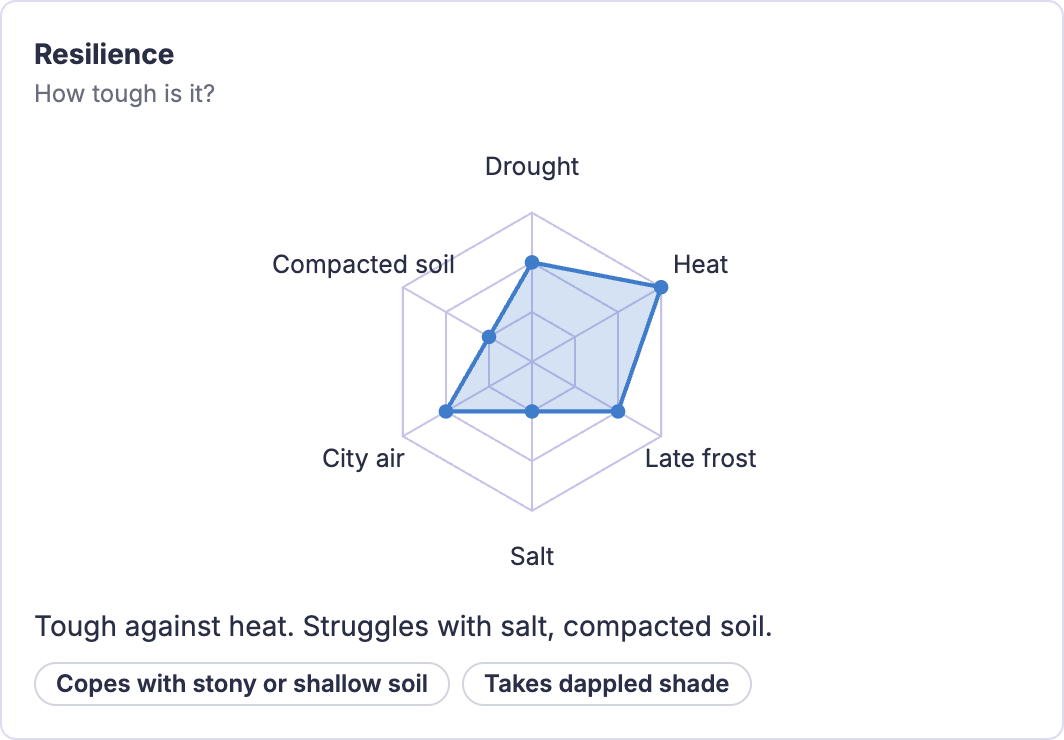
Resilience
A radar chart of how the plant copes with drought, heat, late frost, salt, city air and compacted soil, with a one-line summary.
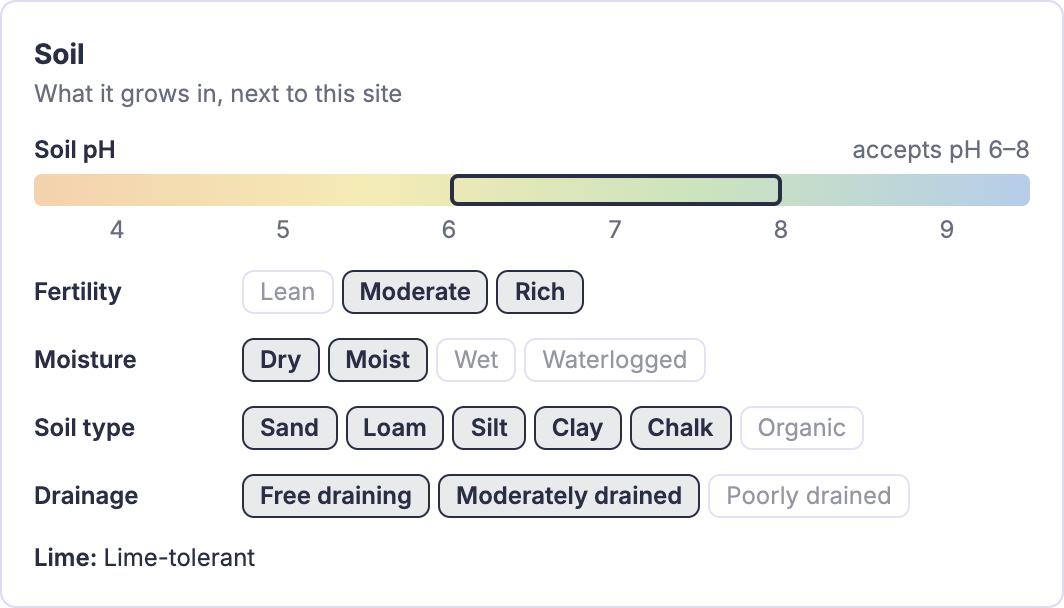
Soil
Accepted pH range, fertility, moisture, soil types, drainage and lime tolerance.
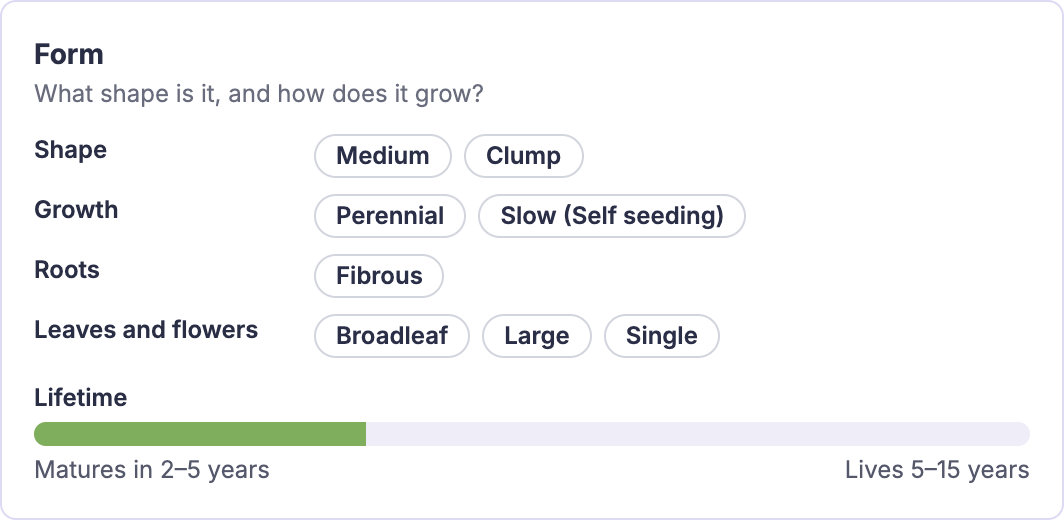
Form
Shape, growth habit, roots, leaves and flowers, and the years to maturity and expected lifespan.

In the garden
What the plant resists, what to watch for and how prone it is to pests and diseases.
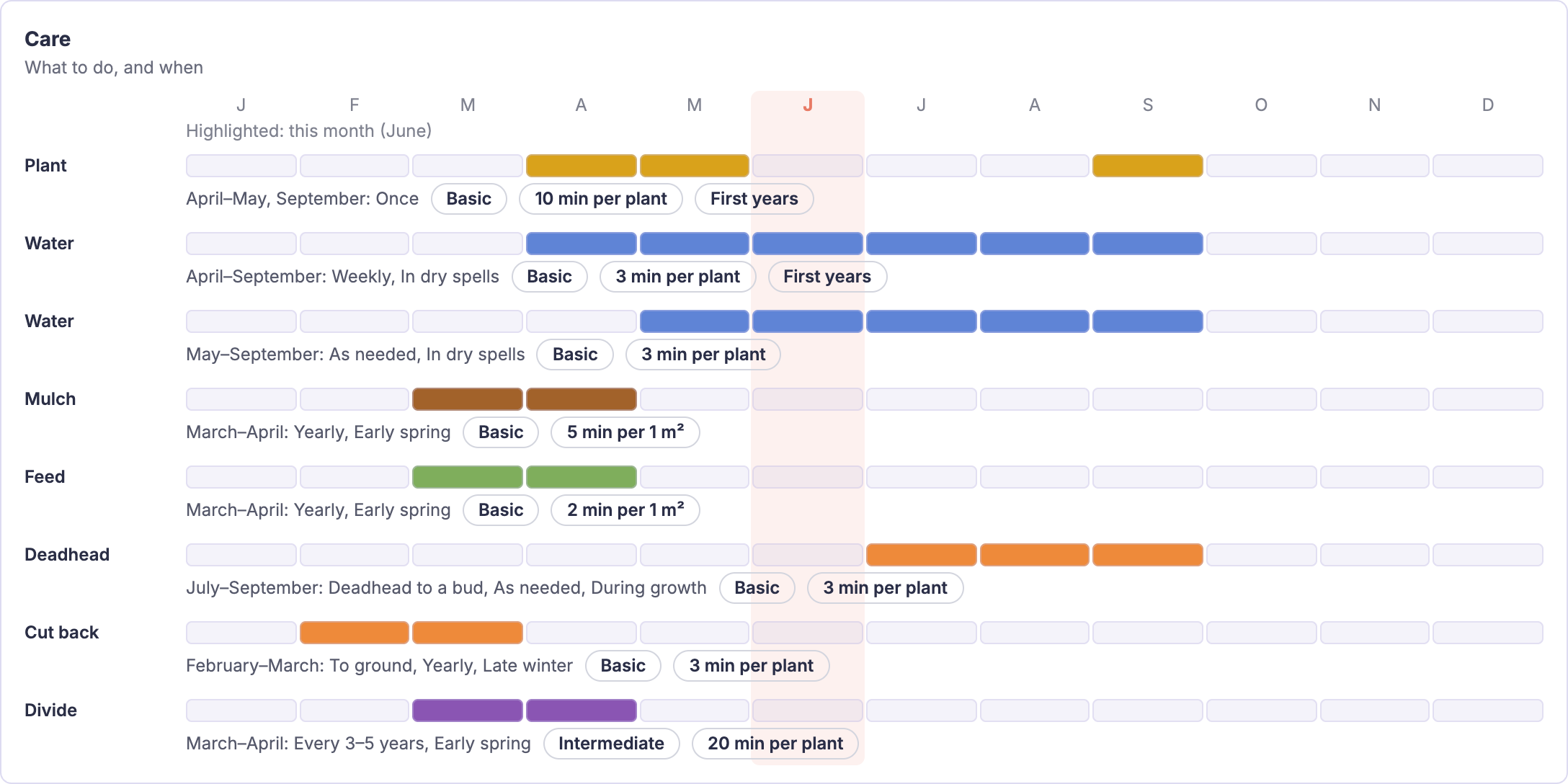
Care calendar
Planting, watering, mulching, feeding, deadheading, cutting back and dividing, laid out by month with effort and skill level.
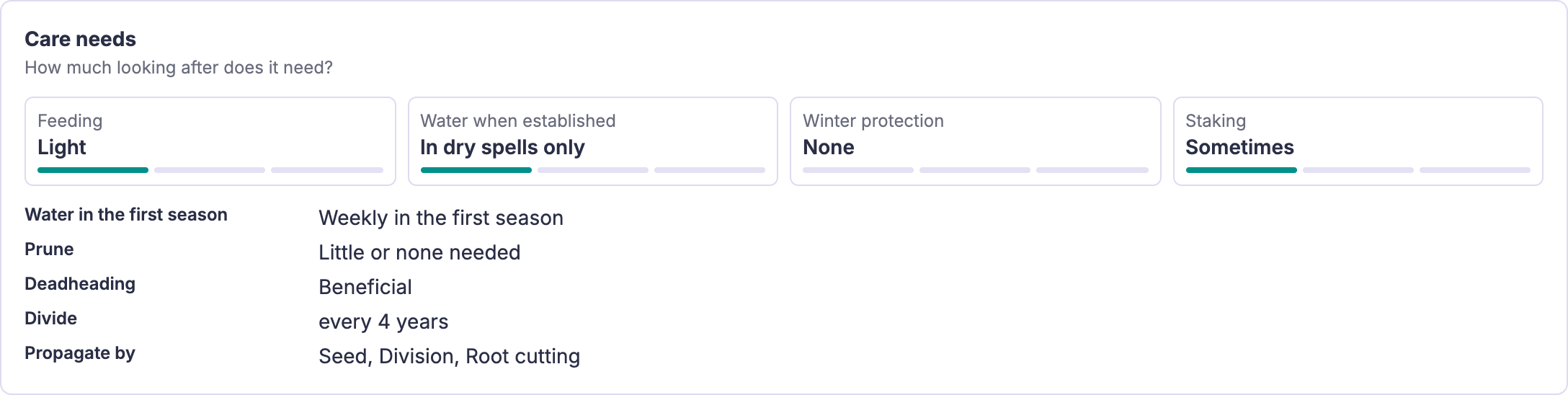
Care needs
Feeding, watering, winter protection and staking at a glance, plus pruning, deadheading, dividing and propagation.
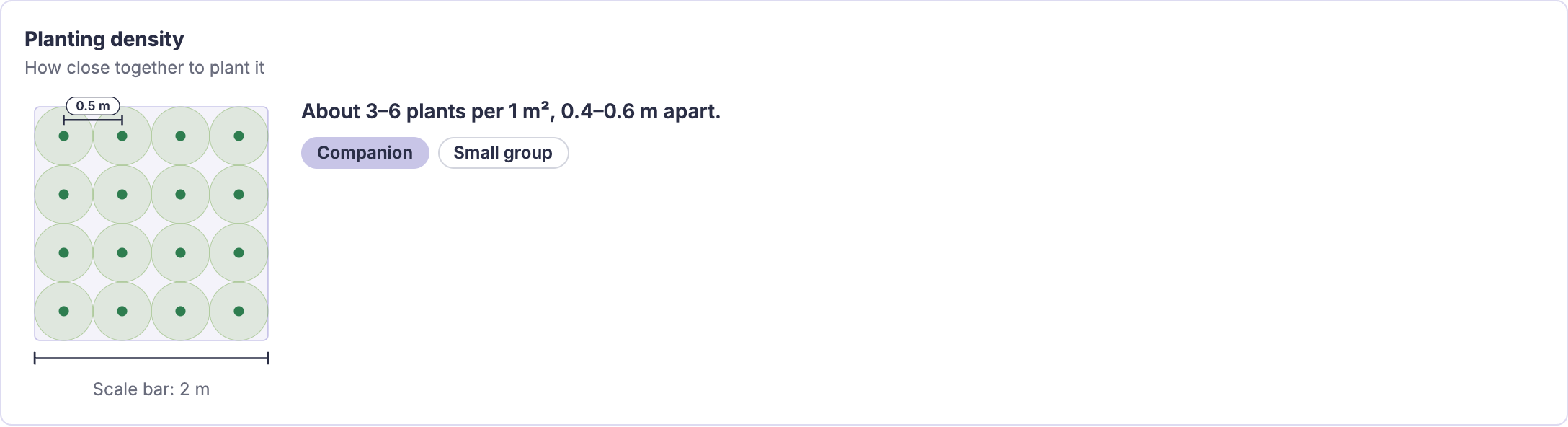
Planting density
How close together to plant, shown as a planting pattern with spacing and plants per square metre or square foot, in the project’s units.
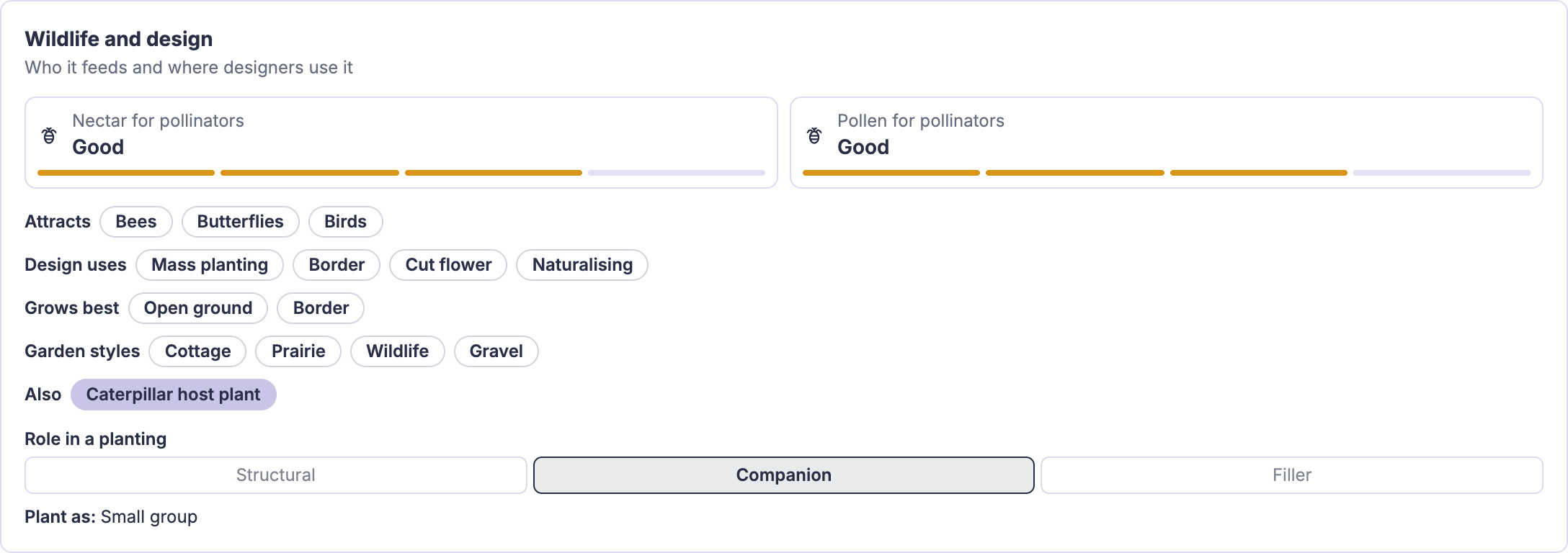
Wildlife and design
Nectar and pollen value, the wildlife it attracts, design uses, garden styles and its role in a planting.
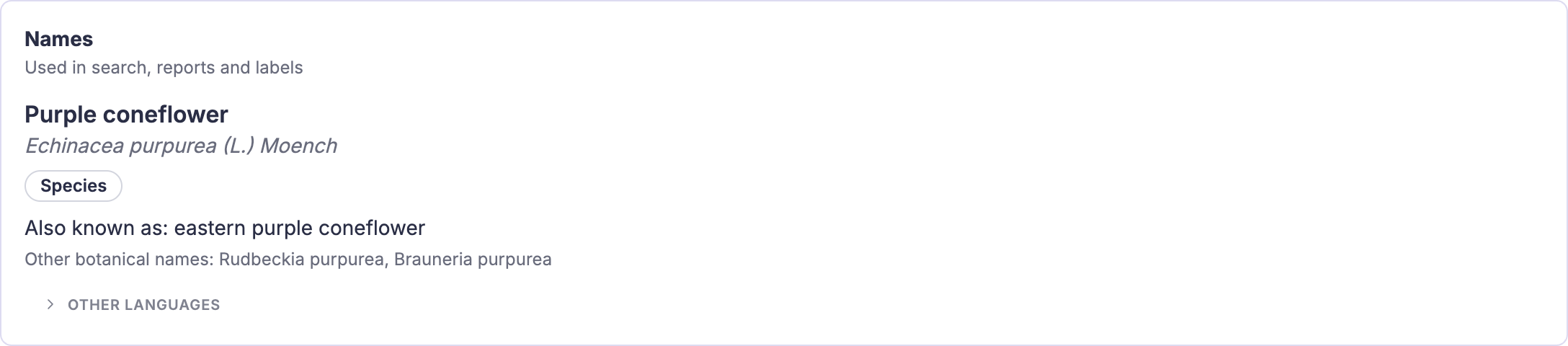
Names
Common name in your language, botanical name with author, other common and botanical names.

About
What the plant is, where it comes from and why it is grown.

Growing notes
How to grow it well and what can go wrong.
Compare plants
Two to four plants side by side, on the same scales.
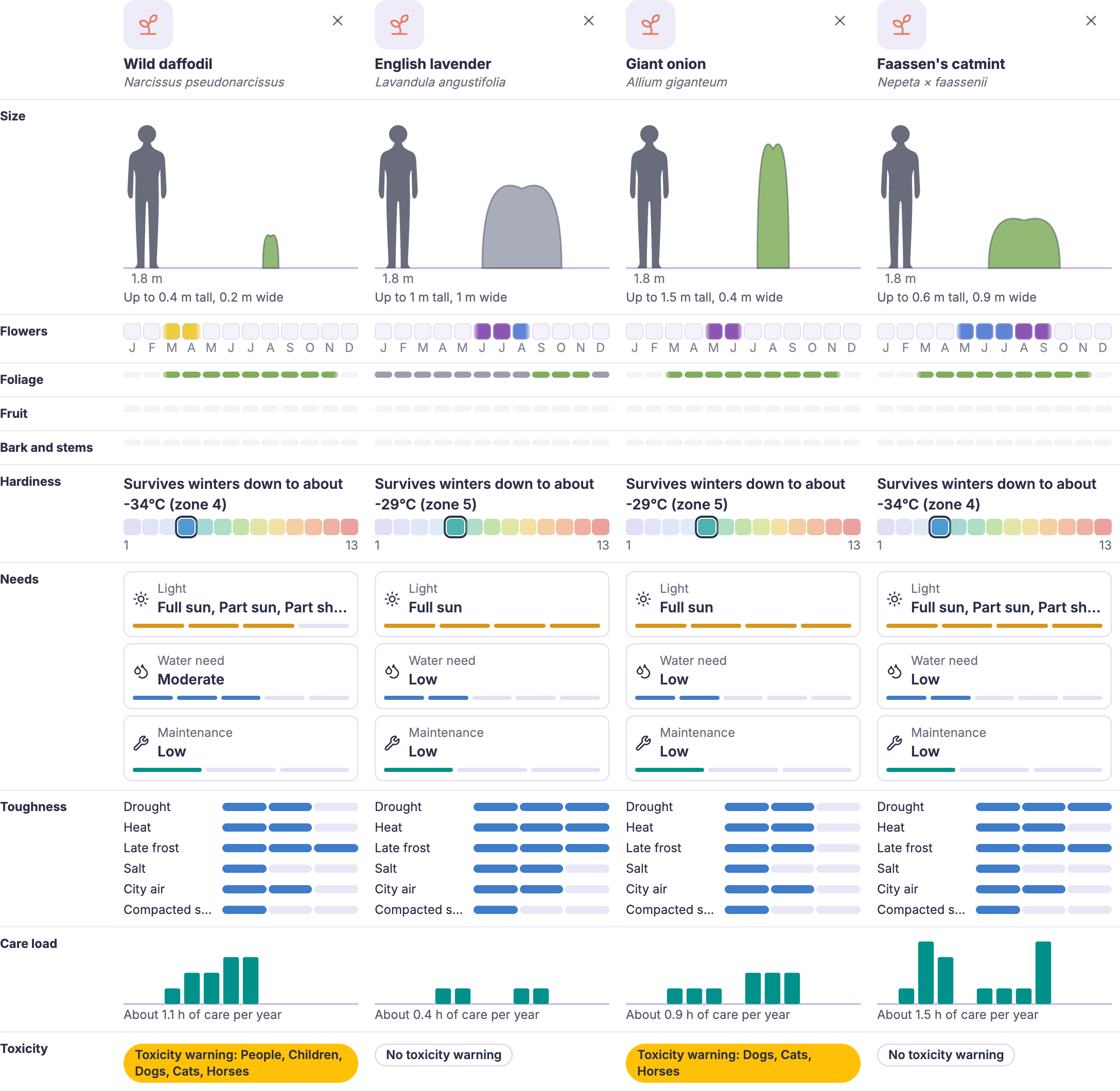
Compare plants
Two to four plants side by side on the same scales: size next to a person, flowers, foliage, hardiness, needs, toughness, care load and toxicity warnings. Start from plants already in the design or add any plant from search.
Species sheets for the client
Add one page per plant to the plant list document, drawn as a print graphic from the same plant profile.
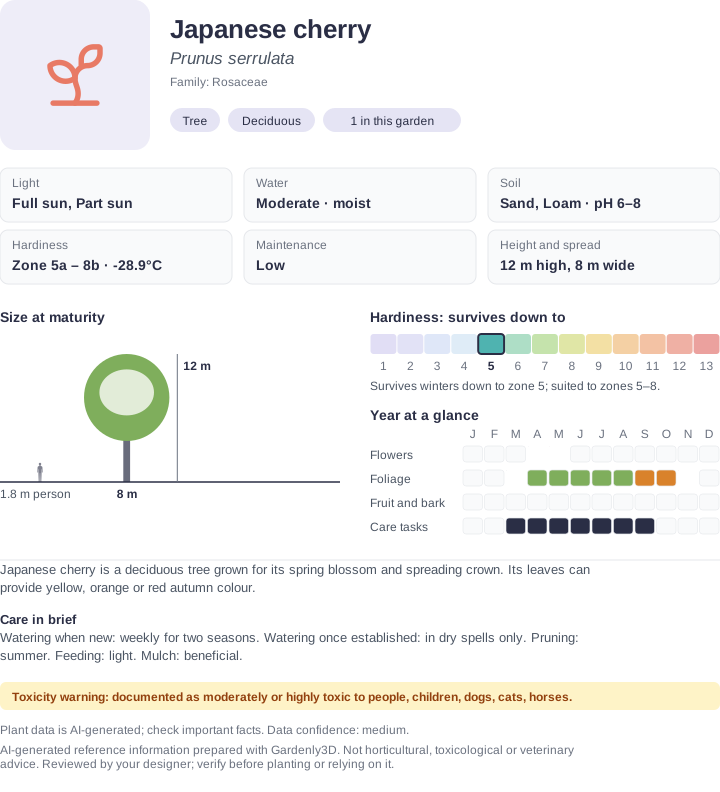
Species sheets
One page per plant: illustration, key facts, size, hardiness window, year at a glance, care in brief and any documented toxicity warning.
Useful to know
Plant information is AI-generated and labelled as such in the product. Use it as a design reference and confirm important decisions, such as toxicity or suitability for a particular site, with a trusted source. Choose Insert into drawing on a plant page to start placing it with the planting tools. Hedges and planted areas are made with their own wizards, and the Plant Intelligence Center reads every plant in the drawing. Plant illustrations and charts are schematic. Care time estimates cover plant care only: lawn mowing and other surface care are not included, and tasks stated per area are counted once per plant.